okay ottoThe guide

Chapter 4 · LinkedIn

How to write LinkedIn posts that don’t read as AI

LinkedIn now checks every post that travels beyond your own network for generic, AI-sounding text, and it says those posts got 40% fewer views as of August 2026. On LinkedIn, specific beats polished.

Checked against each source on October 31, 2026

One real post, as LinkedIn shows it

  • LinkedIn@meriachai

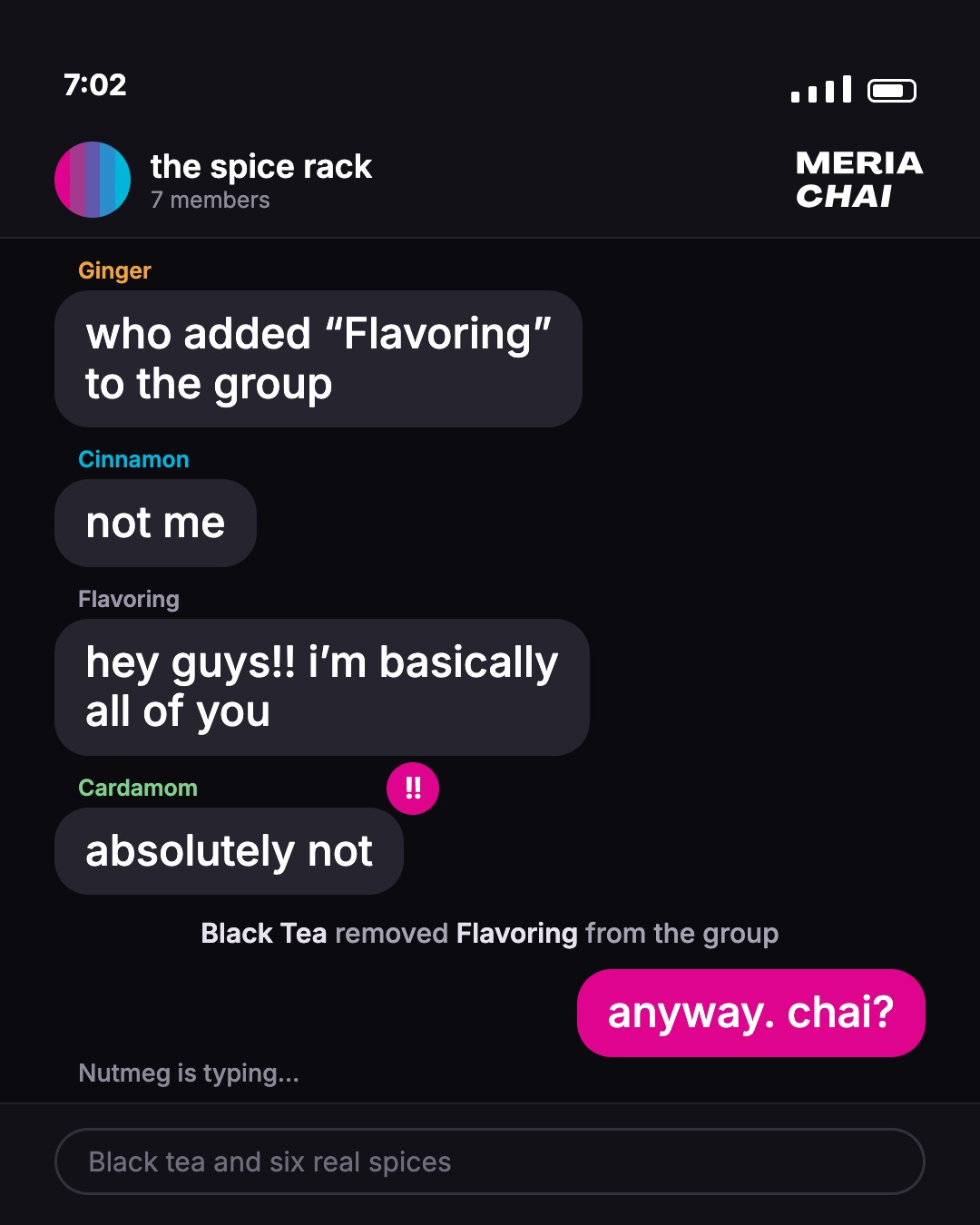
    The spice rack group chat had an incident. Somebody added “Flavoring”. Black Tea handled it. Meria Chai is an instant masala chai powder with seven members: black tea, cinnamon, ginger, cardamom, clove, nutme… more

    • Fits395 / 3,000 post
    • NoteAbout 210 characters show before “more”
    • Note5 hashtags; use 1 hashtag (likes peak at one)
    • NoteShown at your photo’s shape
    • NoteLinks work, and may cost reach
Try it with your own post

The limits

LinkedIn limits, each with its sources
Post text3,000 characters10
“See more” cutAbout 210 characters on a computer, 140 on a phone (third-party estimates; LinkedIn publishes none)
ImagesJPG, PNG or GIF; 2 to 20 in one post11
VideoMP4, 3 seconds to 30 minutes12

How to write it

  1. 1

    Put a specific claim, number or scene in the first two lines.

    Readers decide at “see more”. Posts that open with a question got 34% lower median likes, and posts that open with a number did better (35 median likes against 26).7

  2. 2

    Keep your real details.

    Names, numbers, places, what went wrong. LinkedIn says its classifier finds AI slop with 94% precision, so generic lessons and tidy slogans cost you views.2

  3. 3

    One idea per post.

    LinkedIn’s models look for whether a post is a helpful insight, a job opportunity or a career milestone, and match it to people who care, inside and outside your network.3

  4. 4

    Short paragraphs with space between them.

    One or two sentences each. A company Page post leads with the news and gives it a few sentences; Page text posts under 30 words did worst in a study of 896,780 Page posts.5

  5. 5

    End with a real question only when you want the conversation.

    Posts with questions got 77% more comments. But “comment to agree” style prompts are on LinkedIn’s list of what it shows less.4,1

  6. 6

    No hashtags, or one.

    Median likes peaked at one hashtag and fell to less than half at five or more. Median impressions dropped from 874 with none to 492 with five.7

  7. 7

    Write it so it’s complete without the link.

    Studies agree a link probably costs some reach and disagree about which kind of account pays it. A post that gives the value up front is safe either way.4,6

  8. 8

    Be around for the first two days.

    Half of a post’s impressions arrive in its first 48 hours, and replying lifted performance for about 83% of profiles.4,8

Sources

  1. 1.LinkedIn Pressroom, “How LinkedIn Is Improving the Feed…”, Mar 12, 2026
  2. 2.Tim Jurka (LinkedIn), “The Technology Behind LinkedIn’s Fight Against AI Slop”, Oct 8, 2026
  3. 3.Tim Jurka (LinkedIn), “How Does the LinkedIn Feed Work?”, Aug 11, 2025
  4. 4.Metricool, LinkedIn study, Apr 16, 2026 (673,658 posts)
  5. 5.Socialinsider, caption length study, Oct 27, 2026 (896,780 LinkedIn Page posts)
  6. 6.Ordinal, LinkedIn link penalty study
  7. 7.MagicPost, LinkedIn hashtag data, June 5, 2026 (1.2M posts)
  8. 8.Buffer, “State of Social Media Engagement 2026”, Mar 5, 2026
  9. 9.Microsoft Learn, LinkedIn Posts API
  10. 10.LinkedIn Help, post length
  11. 11.Microsoft Learn, LinkedIn MultiImage API
  12. 12.Microsoft Learn, LinkedIn Videos API
NextFacebook